
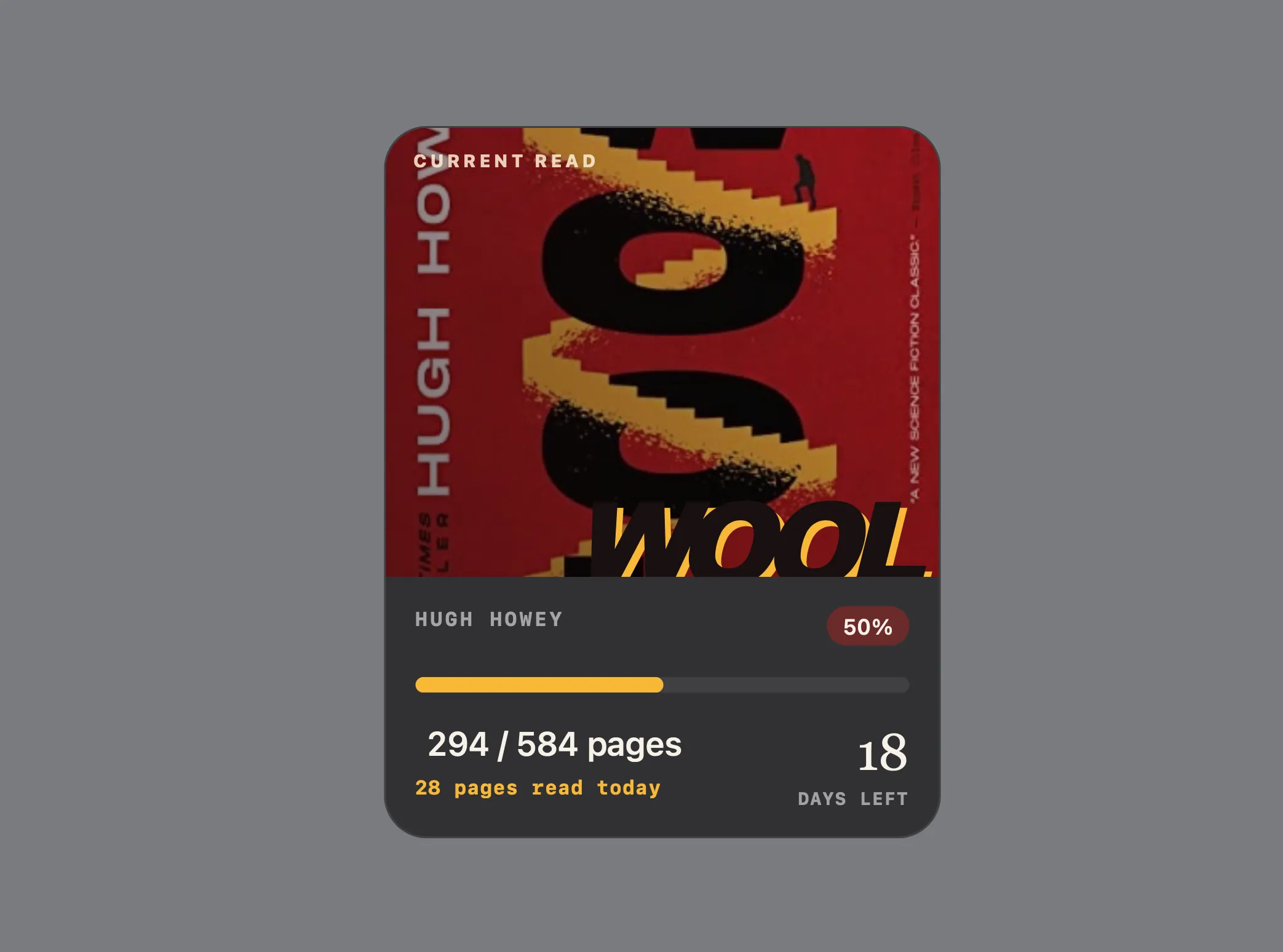
What the Reading Widget Does
Built for people who want a quieter alternative to cloud reading trackers, the widget is local-first. Your reading history stays on your Mac, there is no account to create, and there is no analytics or telemetry running in the background.
The widget turns one current book into a compact desktop reading challenge. It displays:
- Book title and author
- Book-cover artwork when available
- Current page and total page count
- Reading percentage and pages remaining
- Pages read today, calculated from your local history
- Optional goal date and days remaining
- Cover-inspired colors for the progress bar and reading card
The current page can be updated directly in the widget. Hold Übersicht's interaction shortcut, click the page number, enter a new whole-number page, and press Return. The widget saves a timestamped local update and refreshes immediately.
For readers who prefer a terminal workflow, the same update is available through a simple command:
npm run update -- --page 128What Was Built and Hardened
The project has been prepared for reliable local testing and an eventual public release.
The Übersicht package is now self-contained. Its runtime scripts and helpers live inside the .widget folder, so the widget no longer depends on source-code symlinks or machine-specific development paths.
Node.js discovery is portable across common macOS setups, including a standard terminal PATH, Apple Silicon Homebrew, Intel Homebrew, Volta, asdf, and nvm. If Node.js is missing or unavailable to Übersicht, the widget shows a concise message explaining that Node.js 20 or later is required.
Personal reading data is stored separately from the widget code. Updating or reinstalling the widget does not erase progress. Existing package-local data is migrated safely on first run, without deleting the original files.
The widget also validates common configuration mistakes before they create misleading progress. Total pages must be a whole number of at least one, current page must stay within the configured book range, and goal dates must use a real local YYYY-MM-DD date. Invalid configuration, unreadable history, missing Node.js, and incomplete runtime files all have distinct, readable recovery states.
~/Library/Application Support/Hypeberries/Berries Reading/ISBN Lookup and Book Covers
The widget can fill in book details from an ISBN. It checks Google Books first and uses Open Library as a fallback. When a match is found, the widget can save the title, author, publication details, cover URL, and cover-derived colors.
ISBN lookup is optional. A failed lookup never replaces or deletes the current configuration. If a cover image or palette extraction fails, the widget continues using its existing color fallback.
npm run lookup -- --isbn 978-0-358-44784-9Starting a New Book
Starting a completely new book is intentional and protected. The command fetches and validates the new book before replacing the existing reading history.
npm run start -- --isbn 978-0-358-44784-9Privacy and Local Data
This macOS reading widget is designed to keep the personal part of reading private.
Your current book, page number, goal date, and reading history remain on your Mac. No account is required. No analytics, telemetry, or cloud sync is included.
ISBN lookup sends only the ISBN to Google Books and, when needed, Open Library. Cover images are loaded from the configured or provider-returned URL. These requests are optional and occur only when you use book lookup or display a remote cover.
Development Installation
This is the current development installation workflow. You need macOS, Übersicht, and Node.js 20 or later.
Download or clone the project, then move into its folder.
cd /path/to/book-progress-widgetCreate the local data folder and copy the example configuration.
mkdir -p "$HOME/Library/Application Support/Hypeberries/Berries Reading"
cp book-progress.widget/config.example.json "$HOME/Library/Application Support/Hypeberries/Berries Reading/config.json"
Install the widget into Übersicht. The development installer creates a link at ~/Library/Application Support/Übersicht/widgets/book-progress.widget.
npm run installOpen Übersicht and use Refresh All Widgets if the widget does not appear immediately.
Edit ~/Library/Application Support/Hypeberries/Berries Reading/config.json. At minimum, set your book title, total pages, current page, and starting page. You can then use ISBN lookup to populate details and cover art.
A Focused Reading Tracker for the Desktop
The Reading Progress Widget is intentionally simple: one current book, a clear visual goal, and a private record of the pages you have read. It is not trying to replace a library app, social reading service, or notes system. It is a lightweight macOS Übersicht widget that makes your current read visible enough to keep moving forward.