
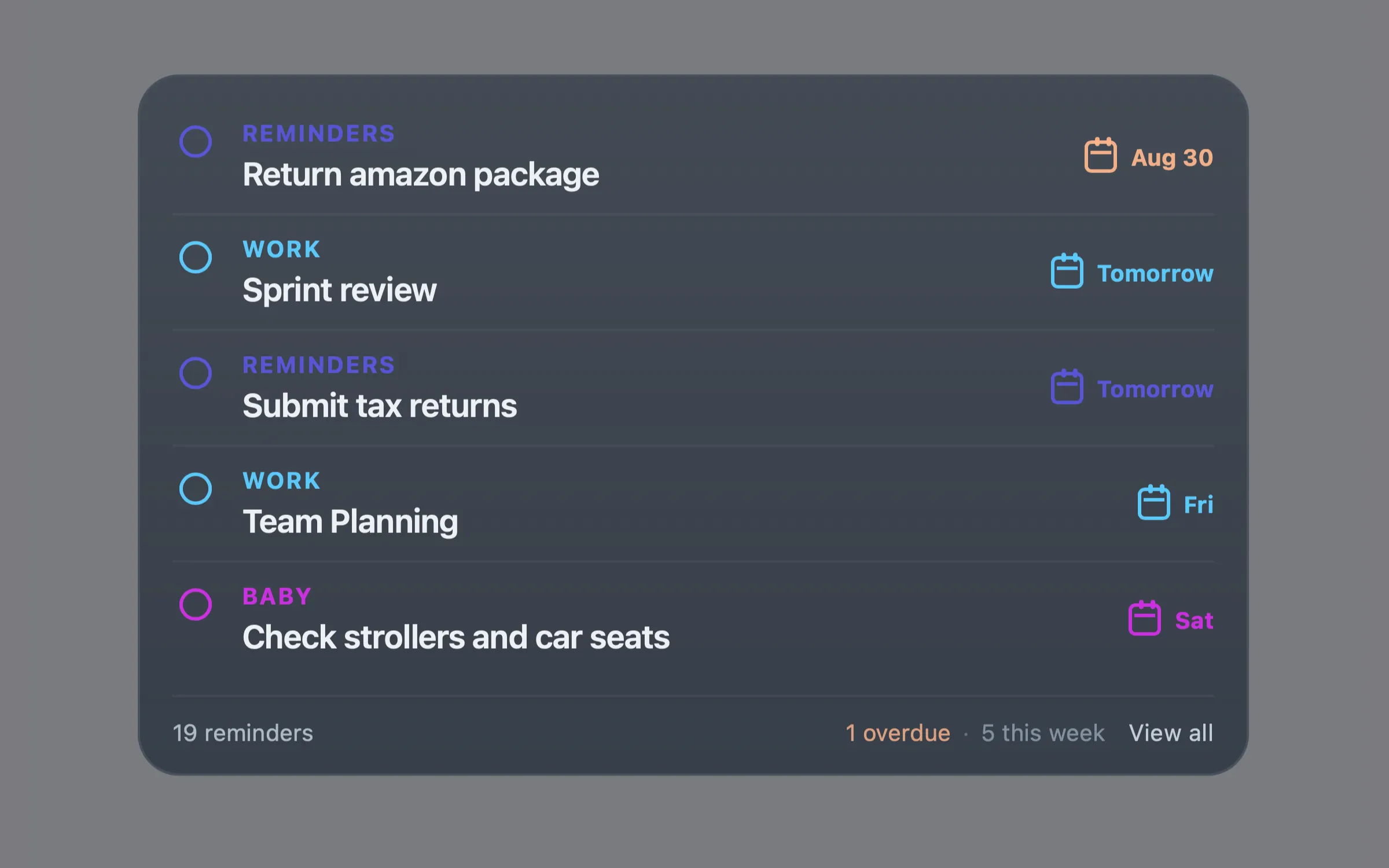
What it does
Berries Reminders reads incomplete tasks from Apple Reminders through EventKit, preserves list colours, highlights overdue tasks, and keeps undated reminders visible instead of silently discarding them. A lightweight View all action opens the native Reminders app when you need the full list.
Features
- Upcoming incomplete reminders across Apple Reminders lists
- Optional filtering to selected reminder lists
- List colours, due dates, notes, and source-list names
- Smart ordering: overdue, today, upcoming, then undated reminders
- Footer counts for eligible reminders, overdue, today, and this week
- A View all link that opens the native Reminders app
- No API keys, accounts, analytics, or network requests
Requirements
- A Mac with Apple Reminders configured
- Übersicht
- Node.js
- Swift from Xcode or the Xcode Command Line Tools
Install Berries Reminders
- Install and open Übersicht.
- Install Node.js and Apple's Xcode Command Line Tools.
- Copy berries-reminders.widget into ~/Library/Application Support/Übersicht/widgets/.
- Refresh Übersicht and allow Reminders access when macOS asks.
- Edit config.json to control placement, width, visible lists, and the number of reminders shown.
Configuration
Edit config.json inside the widget folder, then refresh Übersicht.
{
  "position": { "top": 40, "left": 40 },
  "width": 480,
  "maxItems": 5,
  "lists": [],
  "showNotes": true,
  "showDueDates": true,
  "showListName": true
}- An empty lists array shows reminders from every Apple Reminders list.
- Add list names only when you want to limit the widget to selected lists.
- List-name matching is case-insensitive.
Privacy
The widget runs locally on your Mac. Reminder data is retrieved through EventKit and passed directly to Übersicht for display. It does not send task titles, notes, dates, or list information to an external server, and it has no analytics, telemetry, account, API key, or persistent reminder-data cache.
Troubleshooting
- Node.js is required: install Node.js in a supported location, then refresh Übersicht.
- Access needed: allow Reminders access in System Settings for the app macOS identifies, then refresh Übersicht.
- Selected lists not found: clear lists to show all reminders, or update the configured list names.
- All caught up!: the eligible lists have no incomplete reminders.