
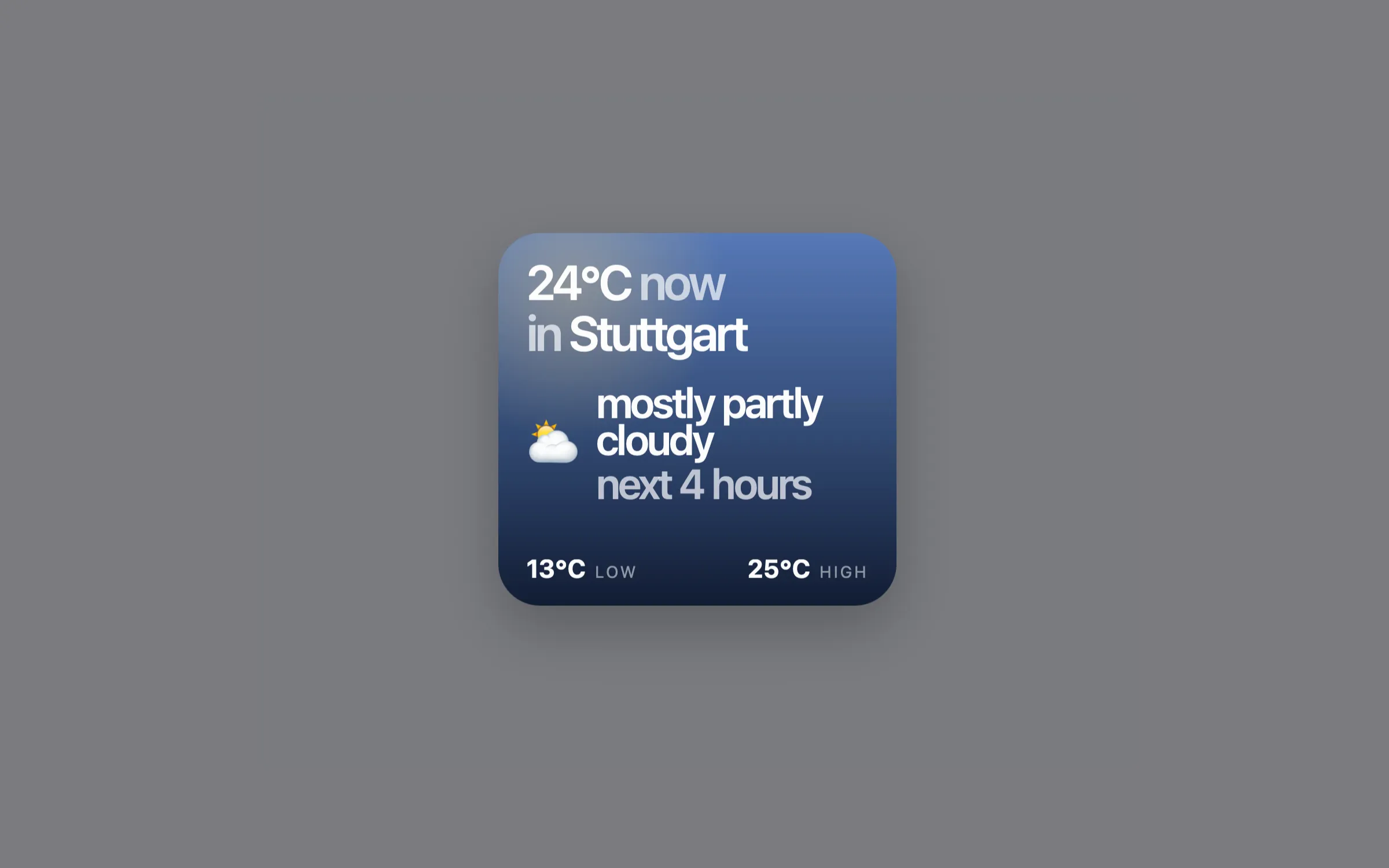
What it does
Berries Weather is deliberately quiet: a small editorial card that adapts between day and night, giving you a useful desktop weather view without turning your screen into a dashboard.
Features
- Current temperature and location
- Feels-like temperature when it meaningfully differs
- A dominant weather outlook for the next 1 to 12 hours
- Today's low and high, plus Celsius or Fahrenheit
- Compact day and night visual treatment
- Automatic refresh every 30 minutes
Location settings
Requirements
- A Mac running macOS
- Übersicht installed and open
- Node.js 20 or later
- An internet connection
Install Berries Weather
- Download and unzip berries-weather.widget.zip from the repository.
- Copy berries-weather.widget into ~/Library/Application Support/Übersicht/widgets/.
- Keep the folder name exactly as berries-weather.widget.
- Edit config.json if you want to change location, units, forecast duration, or desktop position, then refresh Übersicht.
Configuration
Edit config.json inside the widget folder, then refresh Übersicht.
{
  "locationMode": "automatic",
  "locationQuery": "",
  "latitude": null,
  "longitude": null,
  "displayName": "",
  "outlookHours": 4,
  "units": "celsius",
  "position": { "top": 40, "left": 40 }
}- Set units to fahrenheit for Fahrenheit.
- Set outlookHours from 1 to 12 to control the short forecast window.
- Adjust position.top and position.left to place the widget on your desktop.
Privacy
The widget itself does not use analytics, telemetry, an API key, or macOS Location Services. Automatic location sends your public IP to ipwho.is to resolve an approximate location; Open-Meteo receives coordinates for weather retrieval, or a city query in city mode. The widget stores resolved city, coordinates, timezone, and a timestamp for up to 24 hours, but never stores your IP address or weather responses.
Troubleshooting
- Node.js is required: install Node.js 20 or later, then refresh Übersicht.
- Location unavailable: try again later or use city or coordinate location.
- Location not found: check the city query or provide valid coordinates.
- The widget does not appear: confirm the folder is named berries-weather.widget and is inside Übersicht's widgets folder.